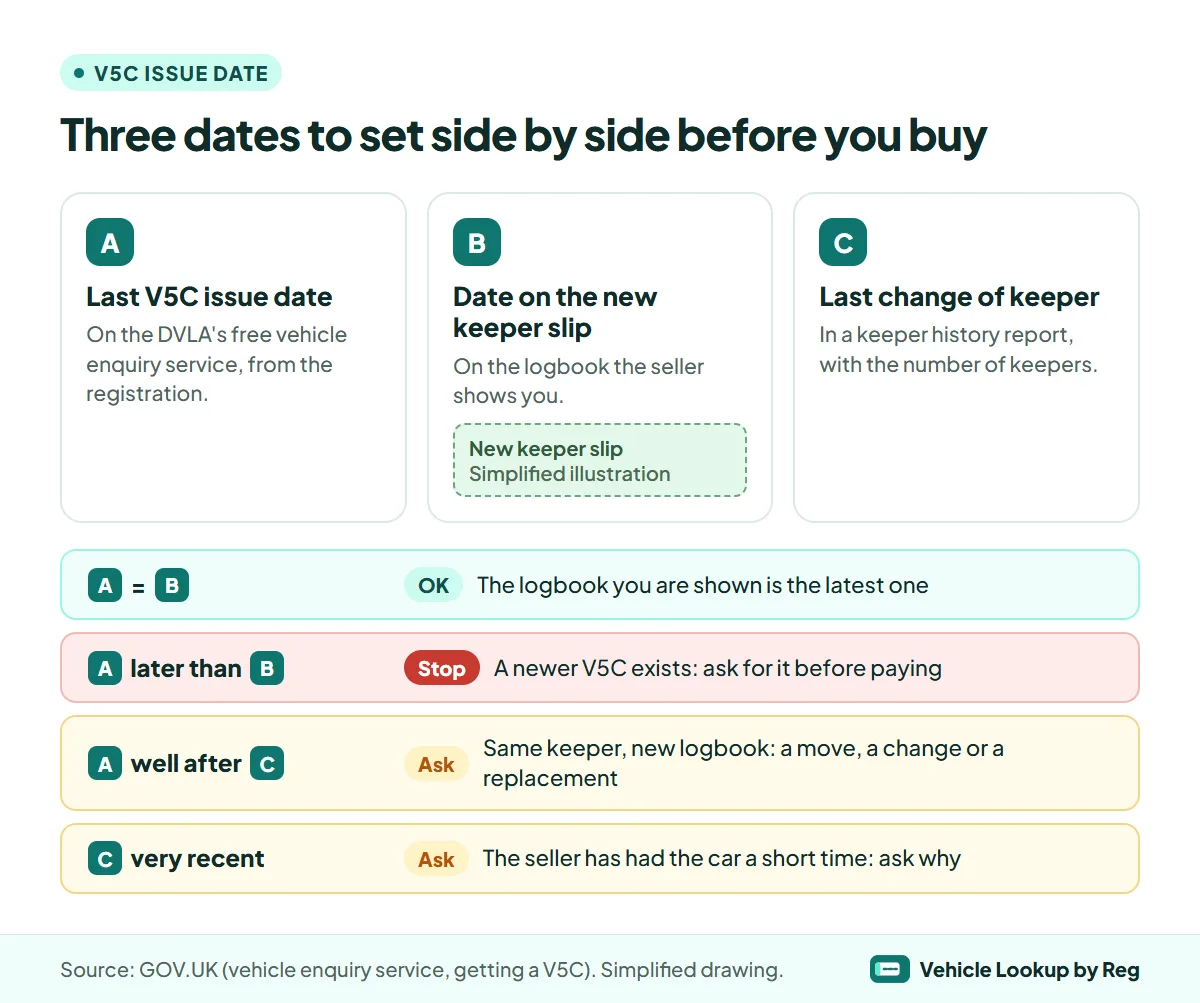
You can check a V5C issue date for free on GOV.UK: type the registration into the DVLA's vehicle enquiry service and it shows the date the latest logbook was issued. If you are buying, that date should match the date on the green new keeper slip of the V5C the seller shows you. If the record is later, the seller's logbook is not the current one.
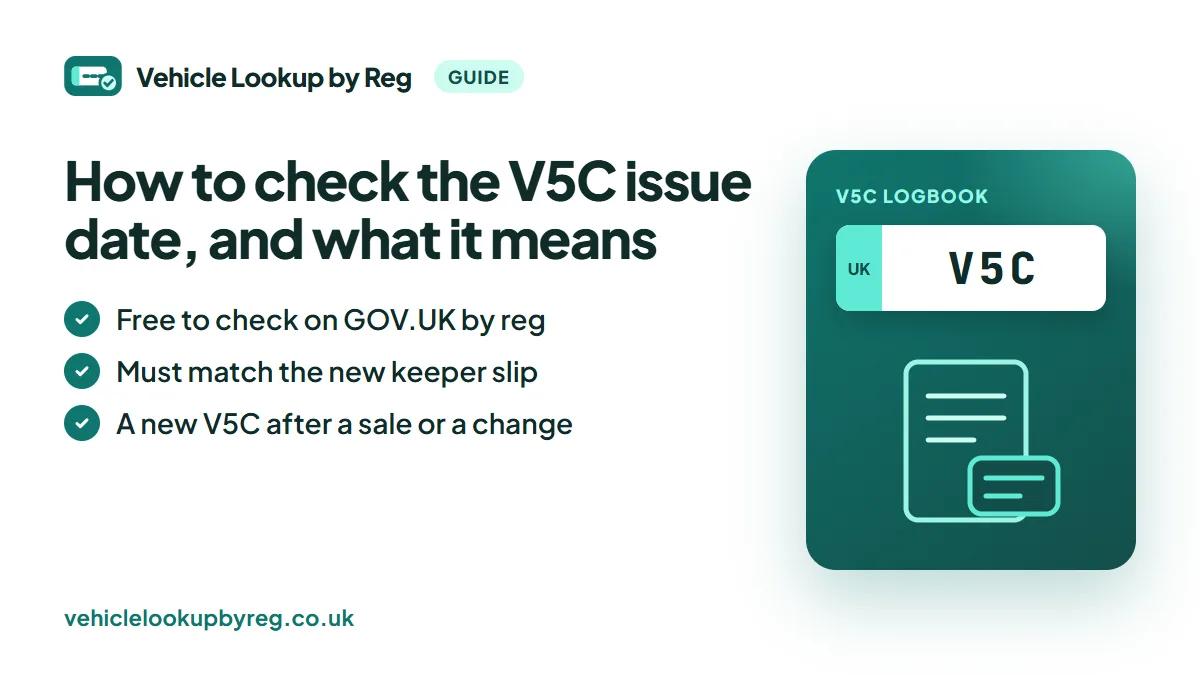
The date also tells part of the car's story, because a new V5C is printed when the keeper changes, when the keeper moves, when the car's details change and when a logbook is replaced. This guide covers how to run the check, what can explain a recent date, and how to read it next to the car's keeper history.
In this guide
- What is the V5C issue date?
- How do you check the V5C issue date for free?
- What does a DVLA logbook check show?
- Why would a car have a new V5C?
- How do you read the issue date with the keeper history?
- What should a vehicle V5C check compare at the viewing?
- What if the V5C issue date does not match?
- Questions and answers
- Sources
What is the V5C issue date?
The V5C, or logbook, is the vehicle registration certificate the DVLA sends to a car's registered keeper. Each time the DVLA issues a new one, the car's record keeps the date, and the free vehicle enquiry service shows it as the last log book (V5C) issue date.
Only one V5C for a car is current at any time. Earlier logbooks still exist, in a drawer at a previous keeper's home or, now and then, in the wrong hands, so the date is a simple way to tell whether the document in front of you is the latest one.
The date is also on the green new keeper slip. GOV.UK's guidance on getting a logbook tells new keepers to check that the date on the slip matches the last V5C issue date on the vehicle enquiry service if they are not sure.
How do you check the V5C issue date for free?
- Open the DVLA's vehicle enquiry service on GOV.UK (the page is called "Get vehicle information from DVLA").
- Type the registration number. Nothing else is needed: no V5C reference, no account.
- Find the date of the last V5C issued among the results, with the tax, MOT and engine details.
- Compare it with the date on the green new keeper slip of the logbook you have, or the one the seller shows you.
It works for any vehicle with a UK registration, and you do not need to be its keeper. The check tells you which logbook is the latest. It says nothing about who the keeper is.
What does a DVLA logbook check show?
The free vehicle enquiry service is the nearest thing to a logbook check by registration. Alongside the V5C issue date, it shows the vehicle tax rate and expiry date, SORN status, MOT expiry, the date of first registration, the year of manufacture, the type approval category, weight, engine size, fuel type, emissions and export status.
It does not show the keeper's name or address, the number of previous keepers, the VIN or the logbook's serial number. Those stay on the paper document or need another kind of check: the number of keepers and the date of the last change are in a keeper history report.
Why would a car have a new V5C?
A recent issue date is common, and most of the time the reason is ordinary. These are the events that lead the DVLA to send out a new logbook:
| What happened | Who gets the new V5C | What to ask or check |
|---|---|---|
| The car was sold or transferred | The new keeper, once the seller has told the DVLA | How long the seller has had the car, if the date is very recent |
| The keeper changed address | The same keeper, at the new address | That the name on the V5C is the seller's |
| The car's details changed, such as its colour or engine | The keeper, after applying to update the V5C | That the car matches the new details |
| The old V5C was lost, stolen, damaged or destroyed | The keeper, who applied for a replacement | Why it was replaced, and when |
Only a replacement deserves a direct question. People do lose logbooks, but a replacement shortly before a sale should come with a clear answer about who asked for it and why.
How do you read the issue date with the keeper history?
The issue date says when the latest logbook was printed, not why. The keeper history often supplies the reason. The Basic report (£3.99) and the Premium report (£7.99) both show how many previous keepers the car has had and the date the keeper last changed. Set that date next to the V5C issue date:
- The issue date is close to the last keeper change. The current logbook was printed for the current keeper when they took the car on. This is the usual picture.
- The issue date is well after the last keeper change. The same keeper has had a new logbook since: a move, a change to the car or a replacement. Ask which, and look for the paperwork that goes with it.
- The keeper changed only days or weeks ago. The seller has had the car for a very short time. Ask why it is being sold so soon, and look over the car and its history with extra care.
If you only want the car's details and MOT history before deciding, start with a free car check by registration, then add the keeper history if the car is worth a closer look.
What should a vehicle V5C check compare at the viewing?
- The date on the green new keeper slip against the last V5C issue date on the vehicle enquiry service.
- The keeper's name and address on the V5C against the person selling the car and the place you are seeing it.
- The VIN and the engine number on the car against the logbook, as GOV.UK advises buyers to do.
- The "DVL" watermark, and the serial number: GOV.UK warns that a V5C numbered BG8229501 to BG9999030 or BI2305501 to BI2800000 might be stolen.
- The make, model, colour and engine size against the car in front of you and its free record.
Our guide to finding a chassis number online explains where the VIN appears on paper and on screen, so you know what to compare.
What if the V5C issue date does not match?
If the record shows a later date than the slip you are shown, a newer logbook has been issued since the one the seller holds. GOV.UK tells new keepers that the slip they send in must come from the most recent V5C; a buyer who sends a slip from an older one has to pay for a replacement logbook.
Ask the seller for the current V5C. If they cannot produce it, or their explanation does not fit the record, do not hand over any money. If the serial number falls in one of the stolen ranges above, GOV.UK says to call the police as soon as it is safe to.
Watch outDo not pay for a car whose seller only has an older V5C: the green slip you need as the new keeper must come from the latest logbook.
Questions and answers
Where is the issue date on a V5C?
Look at the green new keeper slip that comes with the logbook: it carries the date. GOV.UK tells buyers to compare the date on the slip with the last V5C issue date on the DVLA's vehicle enquiry service.
Is the V5C issue date the date the car was bought?
Not always. A new logbook is issued after a sale, but also after a change of address, a change to the car or a replacement, so the latest issue date can be later than the last change of keeper.
Is a DVLA logbook check free?
Yes. The DVLA's vehicle enquiry service on GOV.UK is free and needs only the registration number. It shows the last V5C issue date with the tax, MOT and engine details.
How long does a new V5C take to arrive?
GOV.UK says a replacement applied for online usually arrives within 5 to 7 working days, and a postal application takes about 4 weeks. Contact the DVLA if it has not arrived after that.
Does the V5C issue date show who the keeper is?
No. It is a date only. The keeper's name and address are printed on the logbook itself, and the DVLA keeps them private.
Sources
Every fact in this guide was checked on 9 November 2026 against these pages:
- GOV.UK: Get vehicle information from DVLA (last log book issue date)
- GOV.UK: Get a vehicle log book (V5C), apply by post (the new keeper slip and its date)
- GOV.UK: Get a vehicle log book (V5C)
- GOV.UK: Sold, bought or transferred a vehicle: tell DVLA
- GOV.UK: Change the address on your V5C
- GOV.UK: Check a used vehicle you're buying
This guide is general information about UK vehicles, not legal advice. Vehicle Lookup by Reg is an independent service and is not affiliated with the DVLA, the DVSA or GOV.UK.